Virtual device
This topic covers the basic procedures for creating a unit. Oracle VirtualBox is used and a special disk image with preinstalled AosEdge services to emulate a physical device. This image contains the same services as a physical unit, which behaves identically.
For detailed full walk-through, see How-to > Register a device with AosVM.
Register Target System on AosEdge
Login to AosEdge as OEM user.
Go to Target Systems page. Create a Target System with the name "aos-vm".
Use https://github.com/aosedge/meta-aos-vm/blob/main/misc/unitconfig.json file content in Unit configuration field
Download AosVM image for VitualBox
Run below command to download the latest AosVM image.
- Windows
- macOS\Linux
~/.aos/venv/Scripts/python -m aos_prov download
~/.aos/venv/bin/python3 -m aos_prov download
Create your first Unit
Run below command to create your virtual device that runs on VirtualBox and provision to AosEdge as a Unit.
- Windows
- macOS\Linux
~/.aos/venv/Scripts/python -m aos_prov unit-new --name FirstUnit
~/.aos/venv/bin/python3 -m aos_prov unit-new --name FirstUnit
CLI output will look like this:
aos-prov unit-new --name FirstUnit
Creating a new virtual machines...
Creating a network for the units...        Network aos-network-aos-test-sdk has been created
Forwarding provisioning port...            8608
Forwarding ssh port to main...             8840
Creating a new VM for main...              DONE
Creating a new VM for secondary-1...       DONE
Creating a new VM for secondary-2...       DONE
Checking of access to the AosEdge...       DONE
Operation will be executed on domain:      aws-stage.epmp-aos.projects.epam.com
OEM:                                       title-20260607044117979003
user:                                      qa-oem-staging
Starting VMs in group /AosUnits/aos-test-sdk in headless mode
Starting VM d1dc746d-...                   DONE
Starting VM e66703ca-...                   DONE
Trying to forward ssh port to secondary-1...
Getting IP of e66703ca-...                 Could not find IP address.   (×7)
Getting IP of e66703ca-...                 10.0.0.254
Forwarding ssh port to secondary-1...      8332
Starting VM 94f91755-...                   DONE
Trying to forward ssh port to secondary-2...
Getting IP of 94f91755-...                 Could not find IP address.   (×6)
Getting IP of 94f91755-...                 10.0.0.253
Forwarding ssh port to secondary-2...      8677
Starting provisioning...
Communicating with unit using provisioning protocol version 6...   DONE
Getting System Info...                                             DONE
System ID:                                 ffec7402118a4c31954daa60cccf55b7
Unit model:                                aos-vm;1.0.0
Getting unit's status on the cloud ...                            DONE
Getting Node IDs...                        [<node0>]
Wait while secondary node will be connected.
Getting Node IDs...                        [<node0>, <node1>]
Wait while secondary node will be connected.
Getting Node IDs...                        [<node0>, <node1>, <node2>]
Starting provisioning...                                          DONE
Getting certificate types to renew on node <node0>...  ['online', 'offline', 'iam', 'sm', 'cm']
Generating key type: online/offline/iam/sm/cm on Node: <node0>... DONE
Starting provisioning...                                          DONE
Generating key type: iam/sm on Node: <node1>...                   DONE
Starting provisioning...                                          DONE
Getting certificate types to renew on node <node2>...  ['iam', 'sm']
Generating key type: iam/sm on Node: <node2>...                   DONE
Registering the unit ...                                          DONE
Applying certificate type: online/offline/iam/sm/cm Node ID: <node0>...  DONE
Applying certificate type: iam/sm Node ID: <node1>...                     DONE
Applying certificate type: iam/sm Node ID: <node2>...                     DONE
Finishing provisioning... Node ID: <node1>   DONE
Finishing provisioning... Node ID: <node2>   DONE
Finishing provisioning... Node ID: <node0>   DONE
Finished successfully!
You may find your unit on the cloud here:
https://oem.aoscloud.io/oem/units/bb52efee-48af-4312-8...
Confirm your Unit
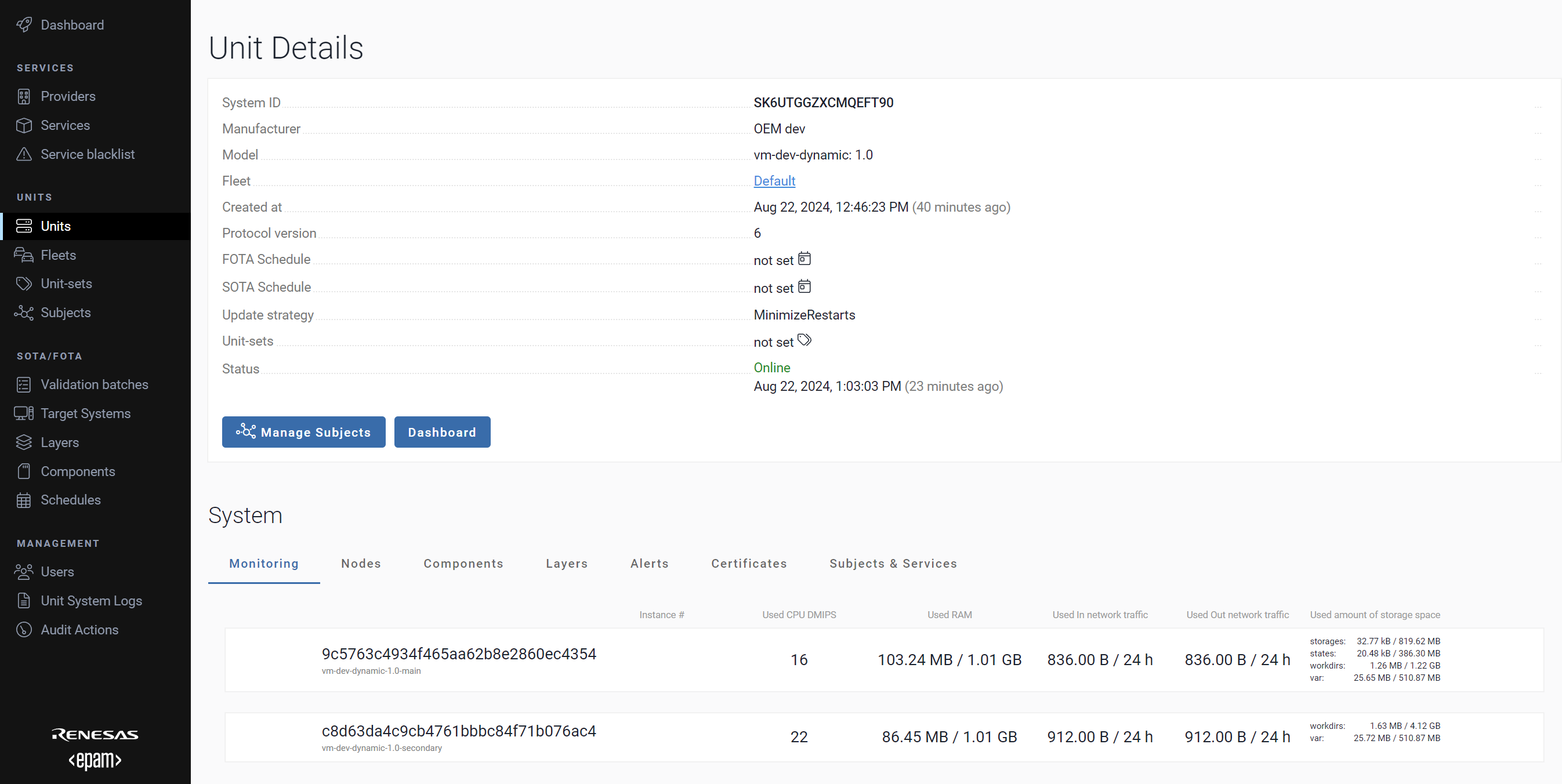
To find the Unit on AosEdge, go to Units page. The provisioned Unit should be listed.
Select the Unit to see the Unit Details page for general information and monitoring data of the Unit.