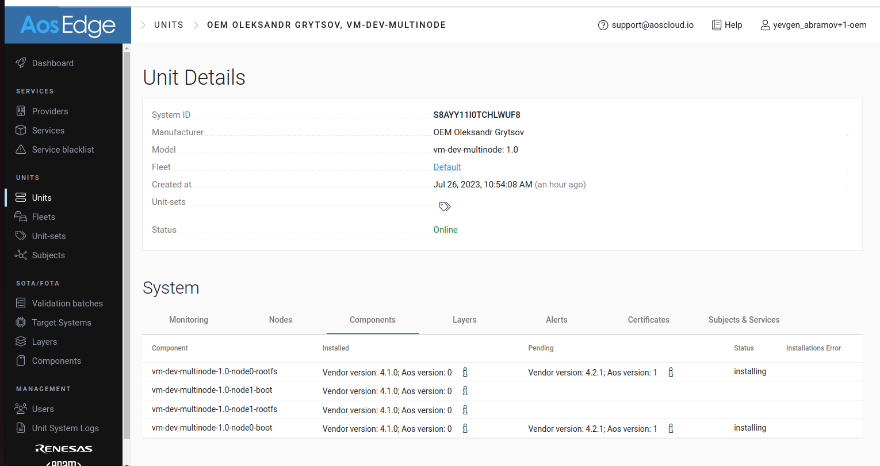
Update firmware of devices (FOTA)
Create an Deployment bundle
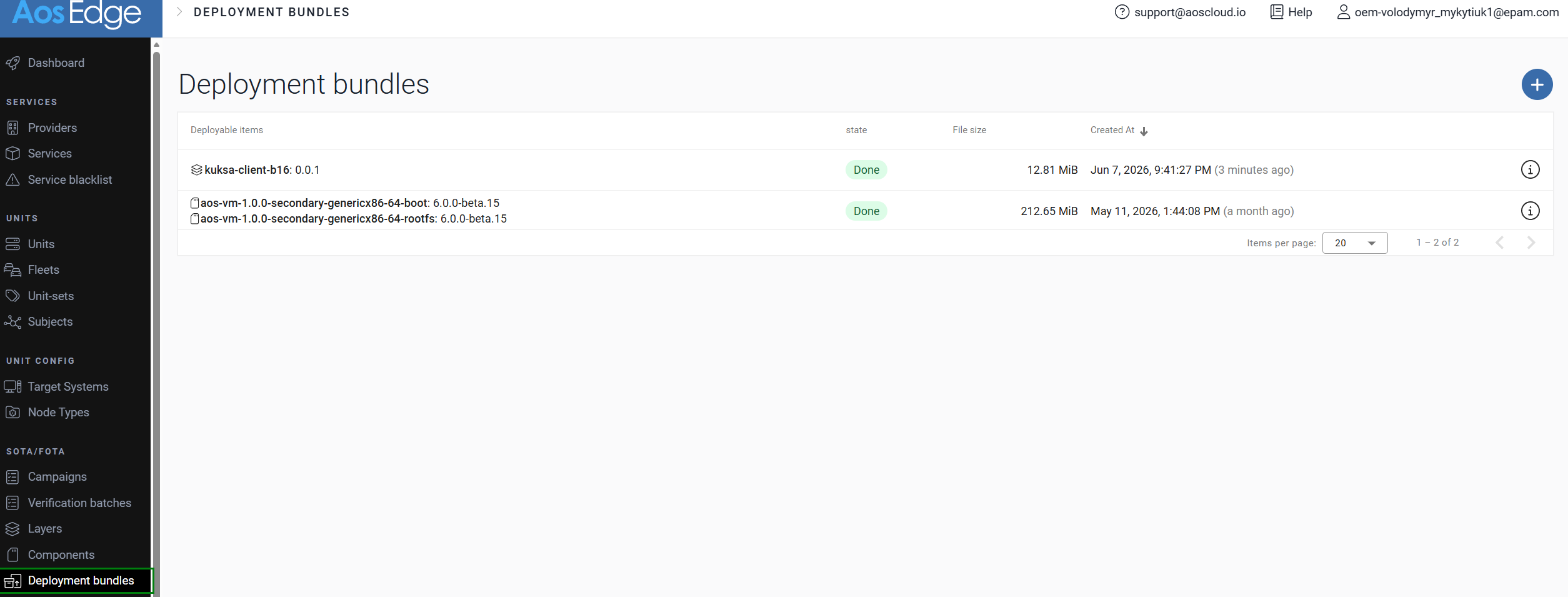
To perform system updates, the deployment bundle with appropriate components should be created and uploaded.
Log in as an OEM to AosEdge platform and upload your deployment bundle to the Deployment bundles:
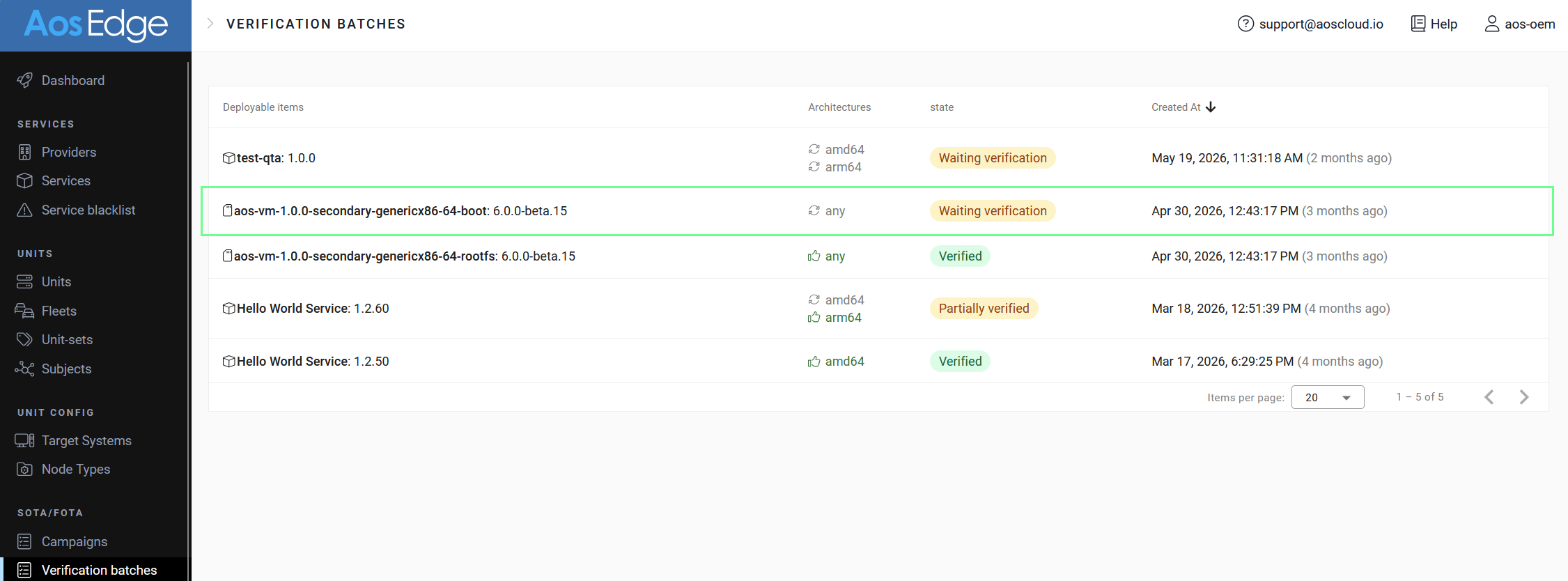
Select Verification Batch
If your device is not added to the verification set, you have to manually Verify update. Select a Verification batch with your new versions:
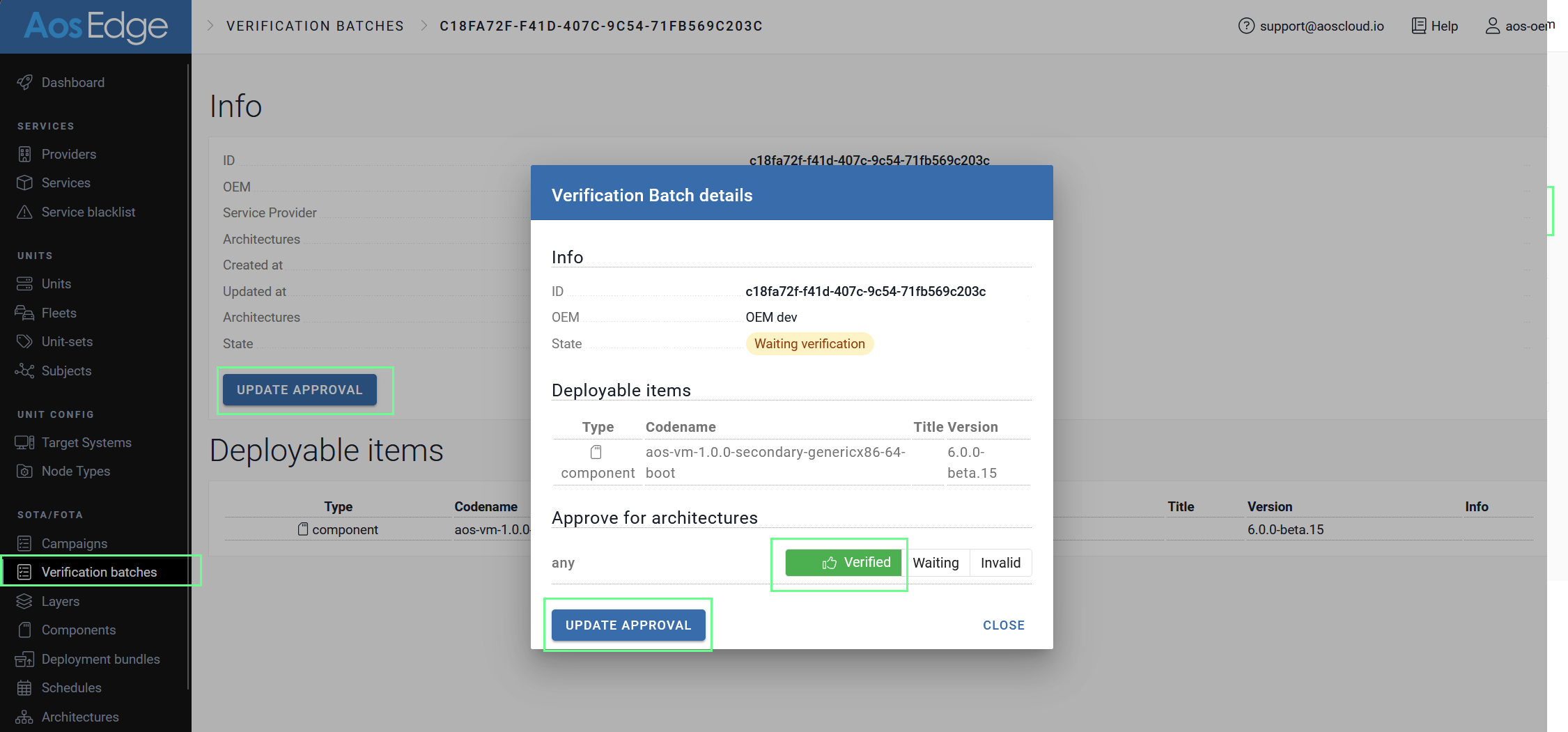
Approve Batch
Approve batch to allow installation of it:
Confirm update status
The status of update procedure could be found in component tab of the unit