Test before release
For any software to be deployed to production, in general, it would be tested before the release.
To enable efficient workflow, as mentioned in Update service, AosEdge allows testing your Service on a designated set of Units for testing, which is called Verification Set.
It will allow the Service to be deployed to the Units in Verification Set directly after upload, so Service Provider can verify the behavior before deploying to production Units.
Follow the next steps to create your Verification Set and perform testing.
Prepare Verification Set
Create Unit-set
Login as OEM user.
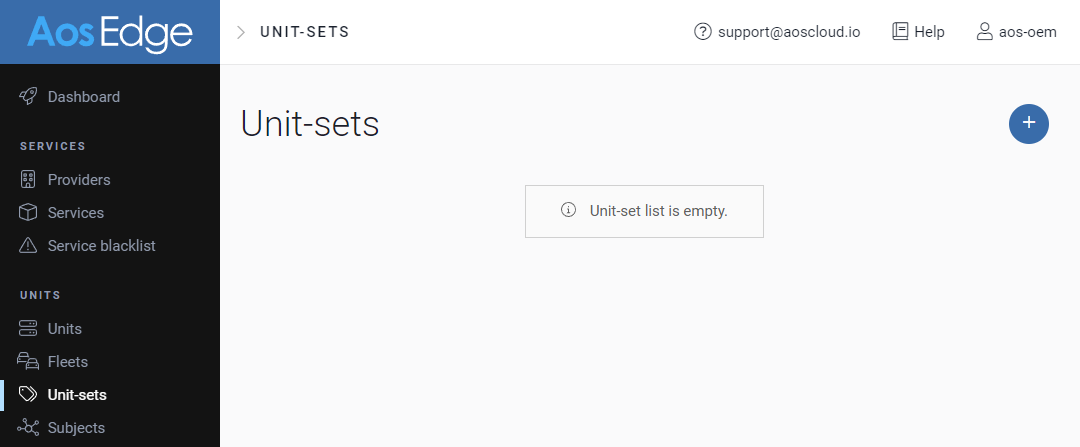
Open Unit-sets page. Press the + button.
Configure as Verification Set
Create Unit-set form will appear. Enter the required information, and click ADD to save.
-
Set
Update StrategytoMinimize unit restarts -
Turn on the
Is verification setswitch.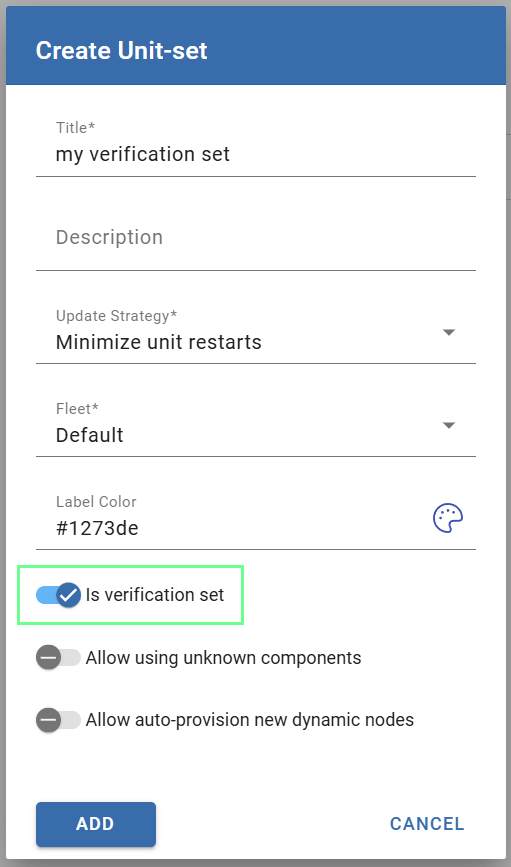
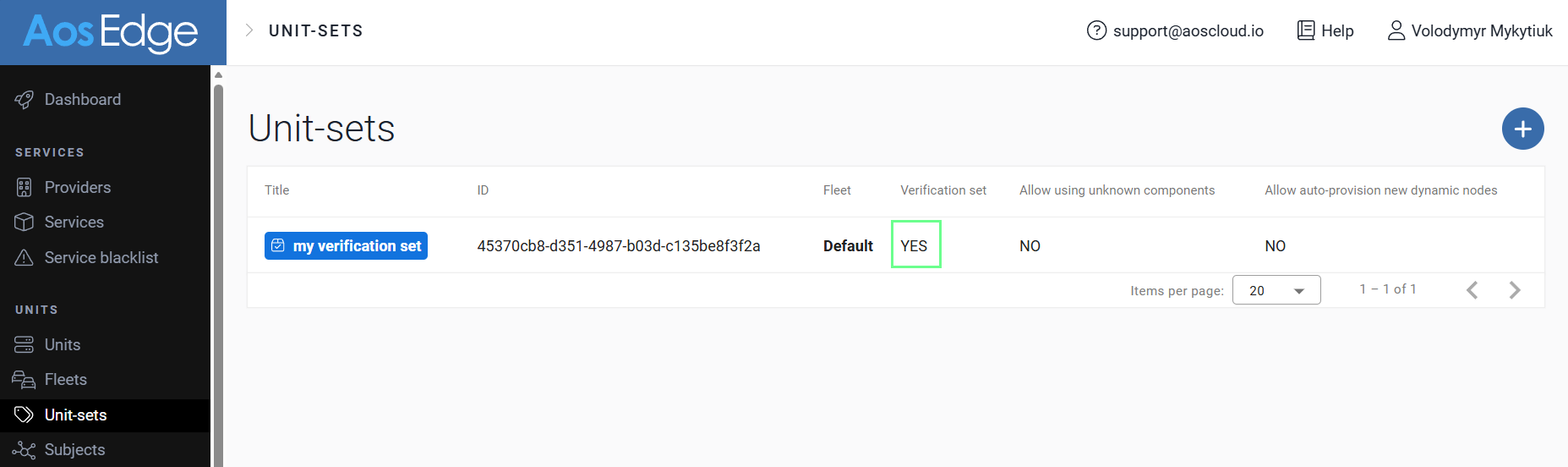
Created Unit-set will be marked as Verification Set.
Add Unit to Verification Set
Find your Unit for testing and open Unit Details.
Click  icon by
 Unit-sets data.
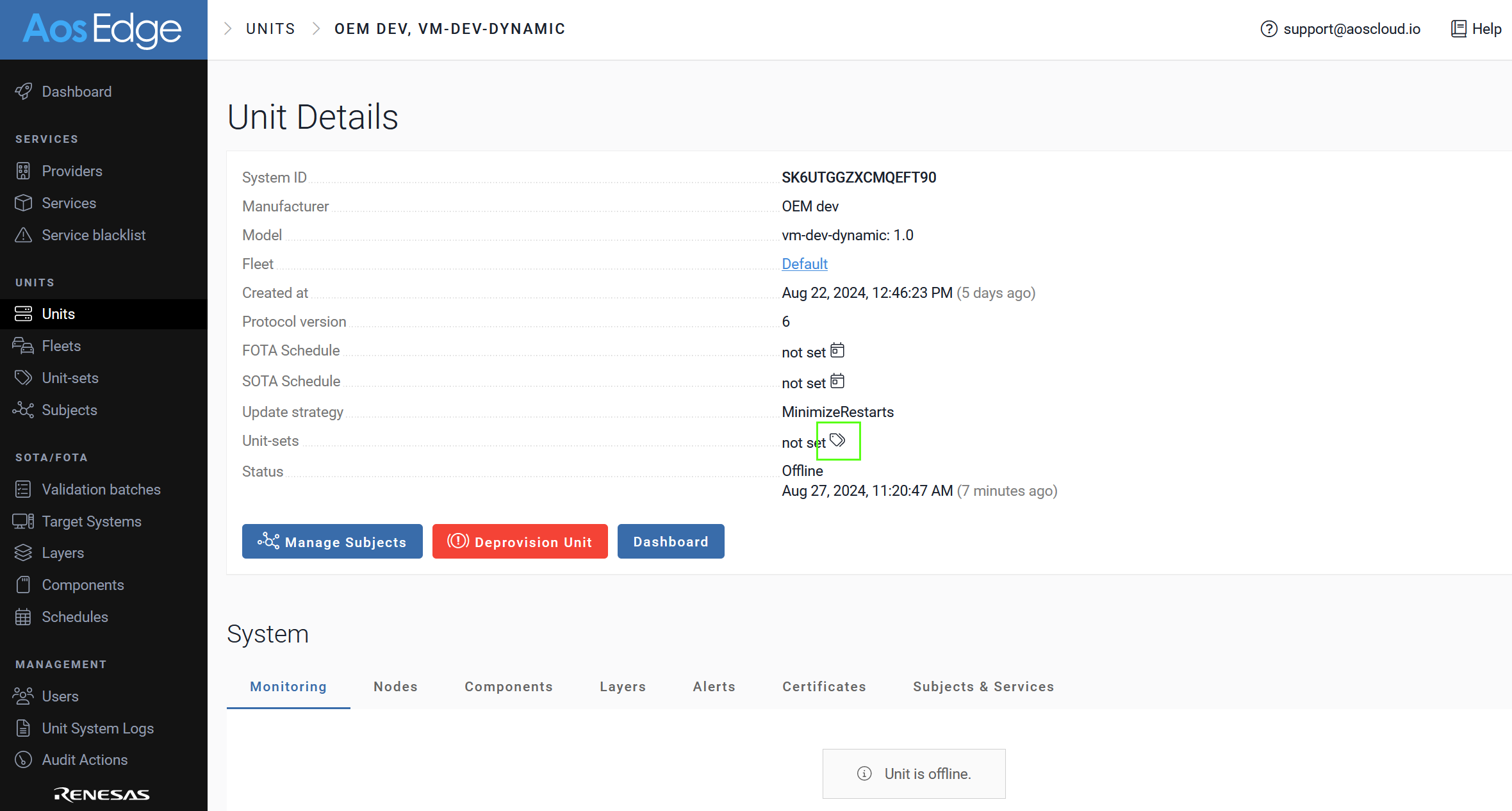
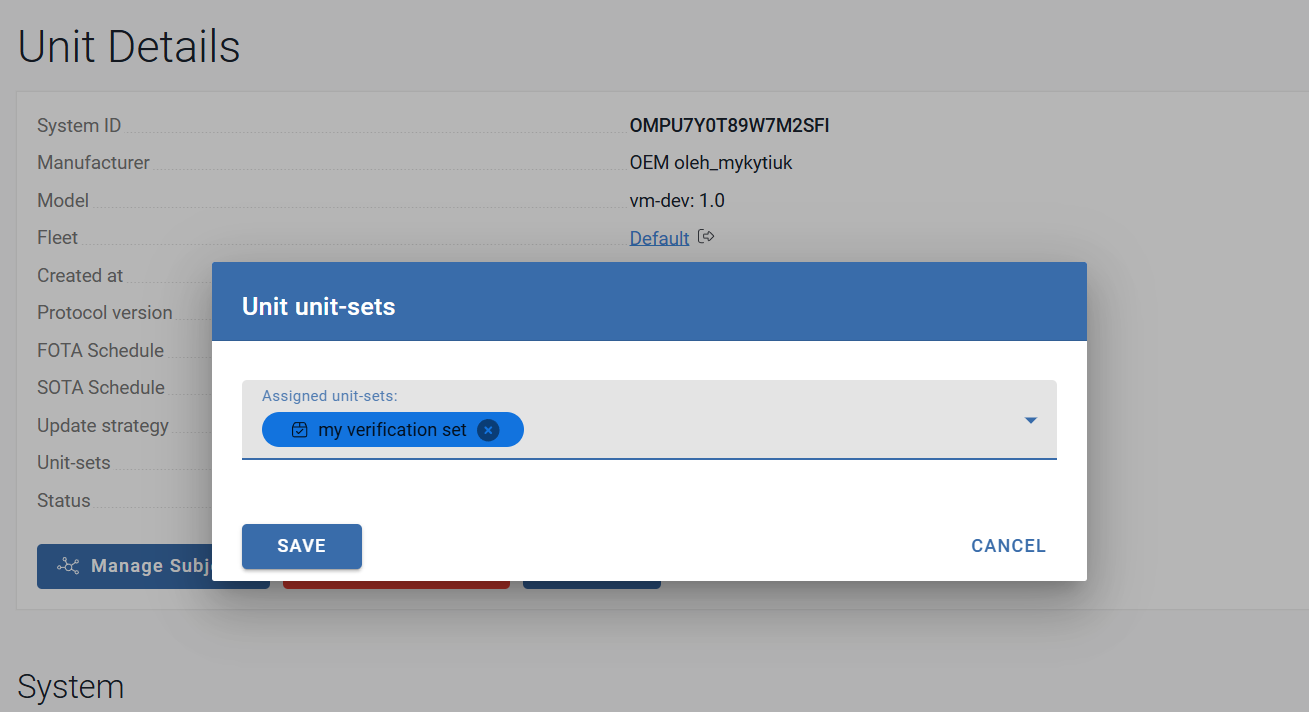
In the Unit unit-sets popup, select your Verification Set and click SAVE.
Deploy your software
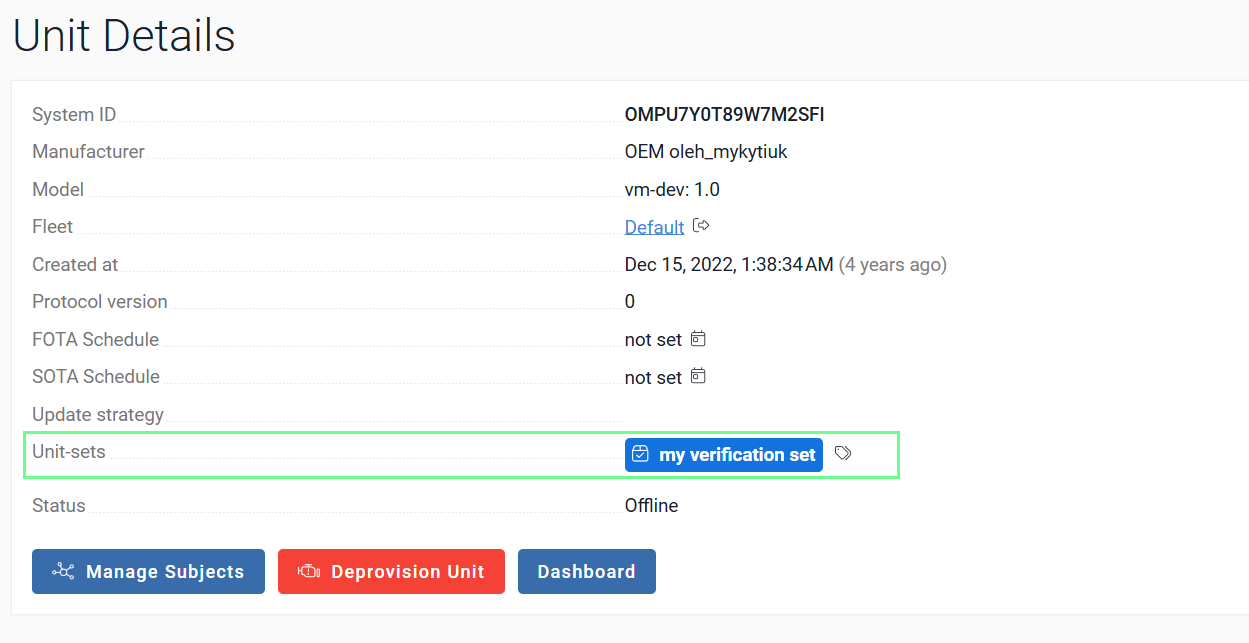
The Unit is now assigned to the created Unit-set configured as Verification Set. This Unit will receive any Service (SOTA) and Components (FOTA) updates without additional OEM user's approvals.
Perform testing
Perform testing of your software on the Unit in the Verification Set.