Sample - C++ Hello World
This repository contains a C++ Hello World example for building and deploying a service on the AosEdge platform.
Follow this guide to install the SDK, set up your environment, build the service, create the service in AosCloud, and sign and upload the service bundle.
Prerequisites
- Tools: AosCore SDK, CMake, Bash, Wget, Python and a virtual environment (
venv)
Source Code
You can explore the example by checking out the source code.
Compile
Build the binary from the hello_world directory using the helper script:
./build.sh --toolchain=/path/to/environment-setup-core2-64-aos-linux --arch=<name>
Default architecture is x86.
Build output:
service1/<arch>/hello_world
Upload service to AosCloud
From the hello_world directory, run:
<host>:~/demo-services/hello_world$ aos-signer go
Starting DEPLOYMENT BUNDLE SIGNING process...
Starting CONFIG VALIDATION process...
Validating config...           VALID
Validating image paths...      VALID
Starting BUNDLE BUILDING process...
....
Uploading...                   DONE
Deployment bundle successfully uploaded!
Verify that the new service appears in the cloud service list.
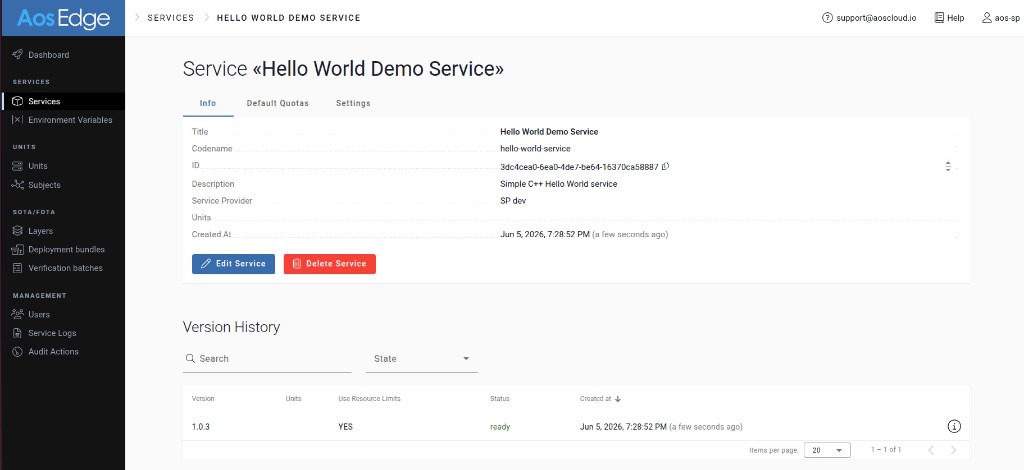
Confirm
For detailed instructions on collecting logs, see Get service logs.
Search for the message "Hello, World!!!" in logs. If found, the service is working correctly.