Add custom roles and permissions
To ensure flexibility, security, and ease of management, AosEdge is equipped with predefined roles and customizable permissions. It is structured with:
- Roles
- Permission Groups
- Permissions
Roles
AosEdge has predefined Roles based on automotive use case. Each Role is allowed with predefined set of Permissions. Currently, we provide below predefined Roles. (See previous page for details.)
- OEM
- SP
- FO
- Admin
NOTE - Currently, we do not allow Roles to be customized. If such customization is needed, please contact your AosEdge support.
Permission Groups
Each Role can have Permission Groups, which are different sets of permissions allowed to the Role. So within a Role, more detail user and permission management can be done by adding custom Permission Groups. Currently, we provide below predifined Permission Groups.
| Role | Permission Group | Configured Permissions |
|---|---|---|
| OEM | oem_management | All the Permissions allowed to OEM user |
| SP | sp_management | All the Permissions allowed to SP user |
| FO | fleet_owner_management | All the Permissions allowed to FO user |
NOTE - Currently, we allow customizing Permissions by each user. See below for detail procedure.
Permissions
Each Permission is the most detailed format that manages the actions you can perform on AosEdge.
View your Permissions
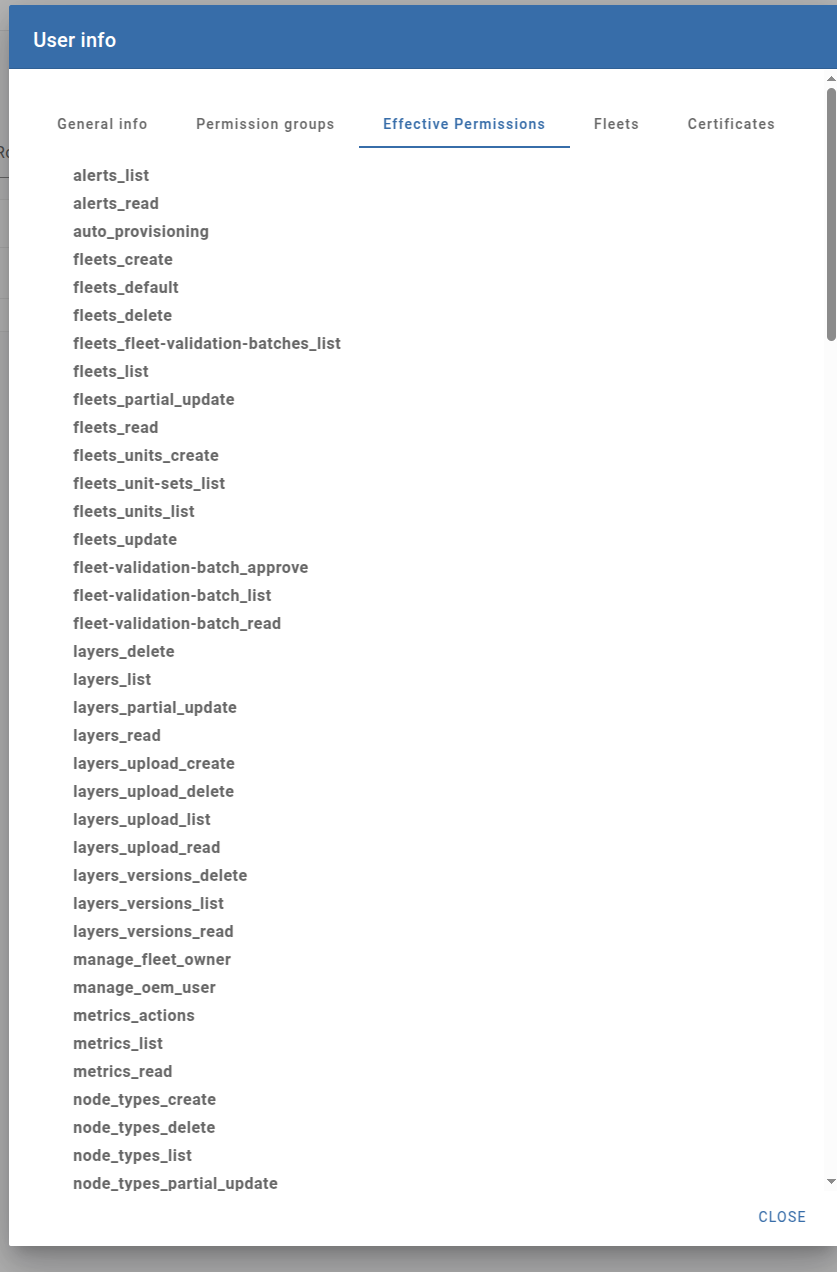
Your configured Permissions can be confirmed from the Users page.
Go to Users page. Find the user from the user list.
Click the "i" icon. Below User Info will popup. Click "Effective Permissions" tab.
Customize your Permissions
Currently, we allow custom set of Permissions by each user. So although custom Permission Groups is currently not available, you can make users with different sets of Permissions to try such detailed user and organization management.
from web UI
Currently, not supported.
from API
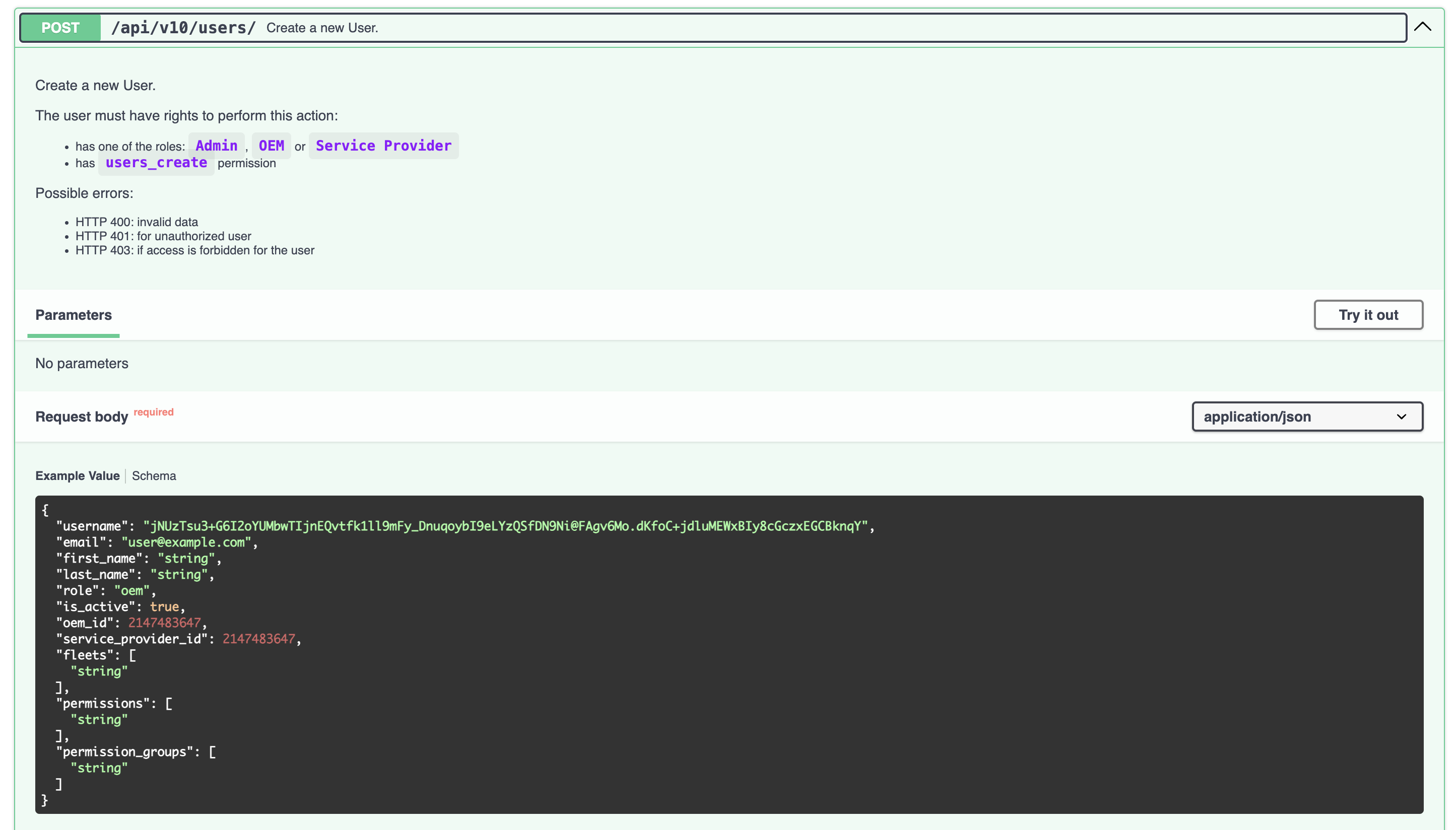
Permissions can be customized from AosEdge Cloud API.
To create a new user with certain set of Permissions, use below API.
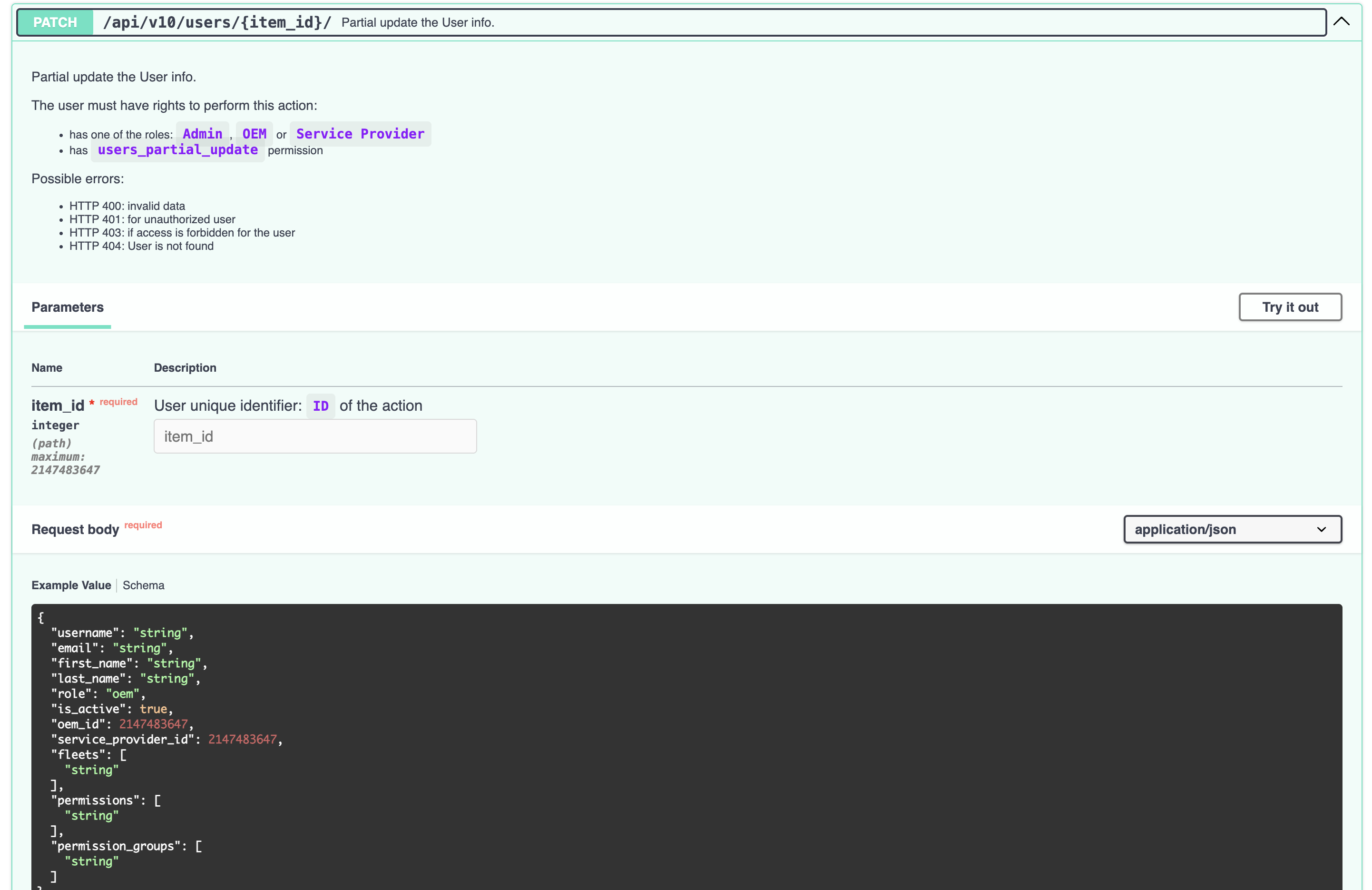
To change the allowed Permissions of an existing user, use below API.