Manual update of invalid Unit certificates
Update with aos-prov CLI tool (for AosVM only)
-
Install
aos-provCLI tool version 5.4.2 or higher.Checking the tool versionTo check the tool is the latest version run command:
- Windows
- macOS/Linux
~/.aos/venv/Scripts/python -m aos_prov check-version~/.aos/venv/bin/python3 -m aos_prov check-versionEmpty output means the tool is up to date.
You can update to the latest version with command:
- Windows
- macOS/Linux
~/.aos/venv/Scripts/python -m pip install --upgrade aos-keys aos-signer aos-prov~/.aos/venv/bin/python3 -m pip install --upgrade aos-keys aos-signer aos-prov -
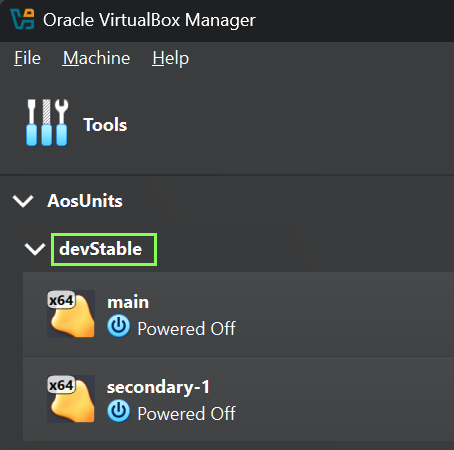
Find the group name of your Unit: Open VirtualBox and find the name of your group like on screenshot:
-
Start command prompt and run command:
- Windows
- macOS/Linux
~/.aos/venv/Scripts/python -m aos_prov fix-unit --name {GROUP_NAME}# Example from the screenshot:~/.aos/venv/Scripts/python -m aos_prov fix-unit --name devStable~/.aos/venv/bin/python3 -m aos_prov fix-unit --name {GROUP_NAME}# Example from the screenshot:~/.aos/venv/bin/python3 -m aos_prov fix-unit --name devStable -
Wait till script finishes.
Update with manual procedure (generic)
-
Start each node of the Unit.
-
Find SSH ports for each node: refer to docs
-
Execute command for each node, replacing port from previous step.
ssh root@localhost -p {PORT} "systemctl stop systemd-timesyncd && date -s '2026-06-27' && systemctl restart aos.target" -
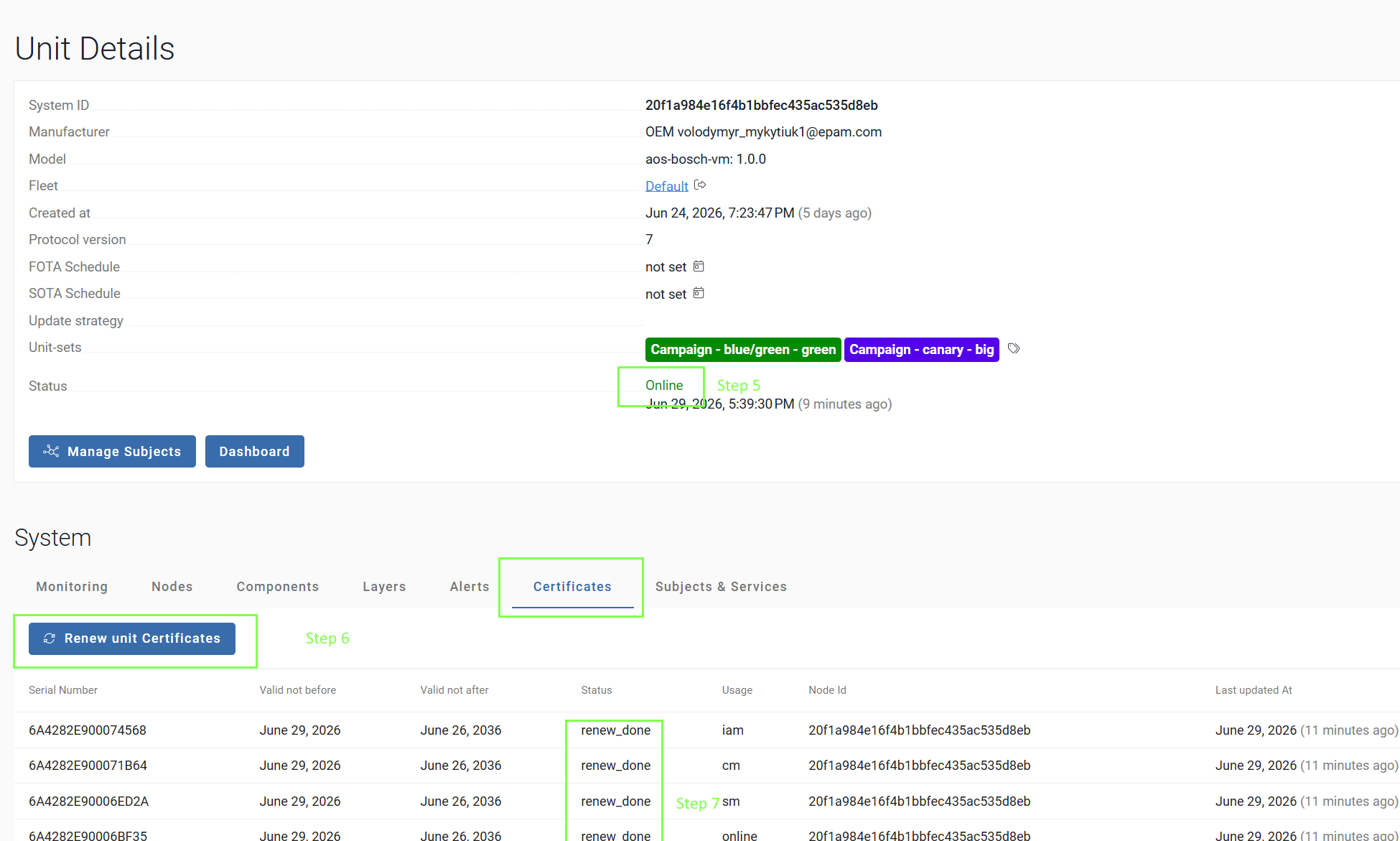
Login to https://oem.aoscloud.io/oem/units portal and Open your unit details page.
-
Wait till Unit went online (see screenshot below)
-
Click
Renew unit CertificatesonCertificatestab. -
Wait till all certificates receive status
renew_done -
Reboot each node or execute command for each node, replacing port from step 2.
ssh root@localhost -p {PORT} "reboot now"