Schedules
This chapter explains how to correctly use the schedules field and describes its main purpose.
The schedules mechanism enables automated management of FOTA and SOTA updates. It allows you to set rules and priorities for how and when updates should be applied across your units.
Schedule parameters
-
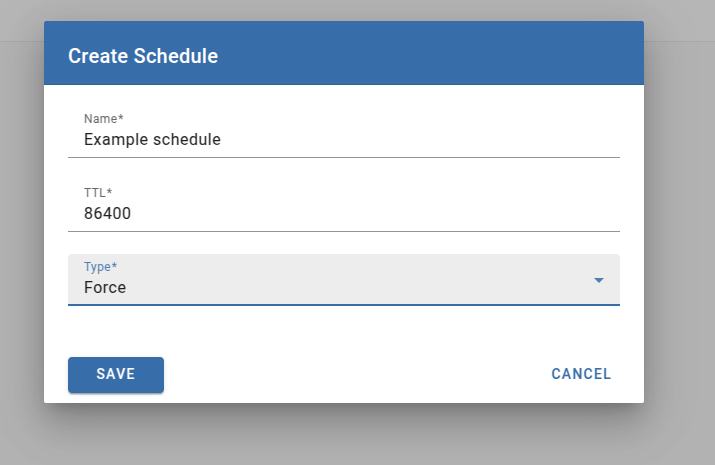
Name — A unique identifier for the schedule.
-
TTL (Time to Live) — The time window within which the unit must come online. If the unit remains offline beyond the specified TTL, the update will not be applied.
-
Type — Defines the update strategy:
- FORCE — The unit will be updated automatically upon startup.
- Trigger — The update will be applied when a specific trigger is emitted by the client.
You are responsible for implementing the client-side logic that emits this trigger in accordance with your business logic. - Timetable — The update will be executed according to a predefined schedule.
How create schedule
- Navigate to the Schedules section.
- Click the + button to create a new schedule.
- Fill in the required schedule properties.
Assigning schedule to unit
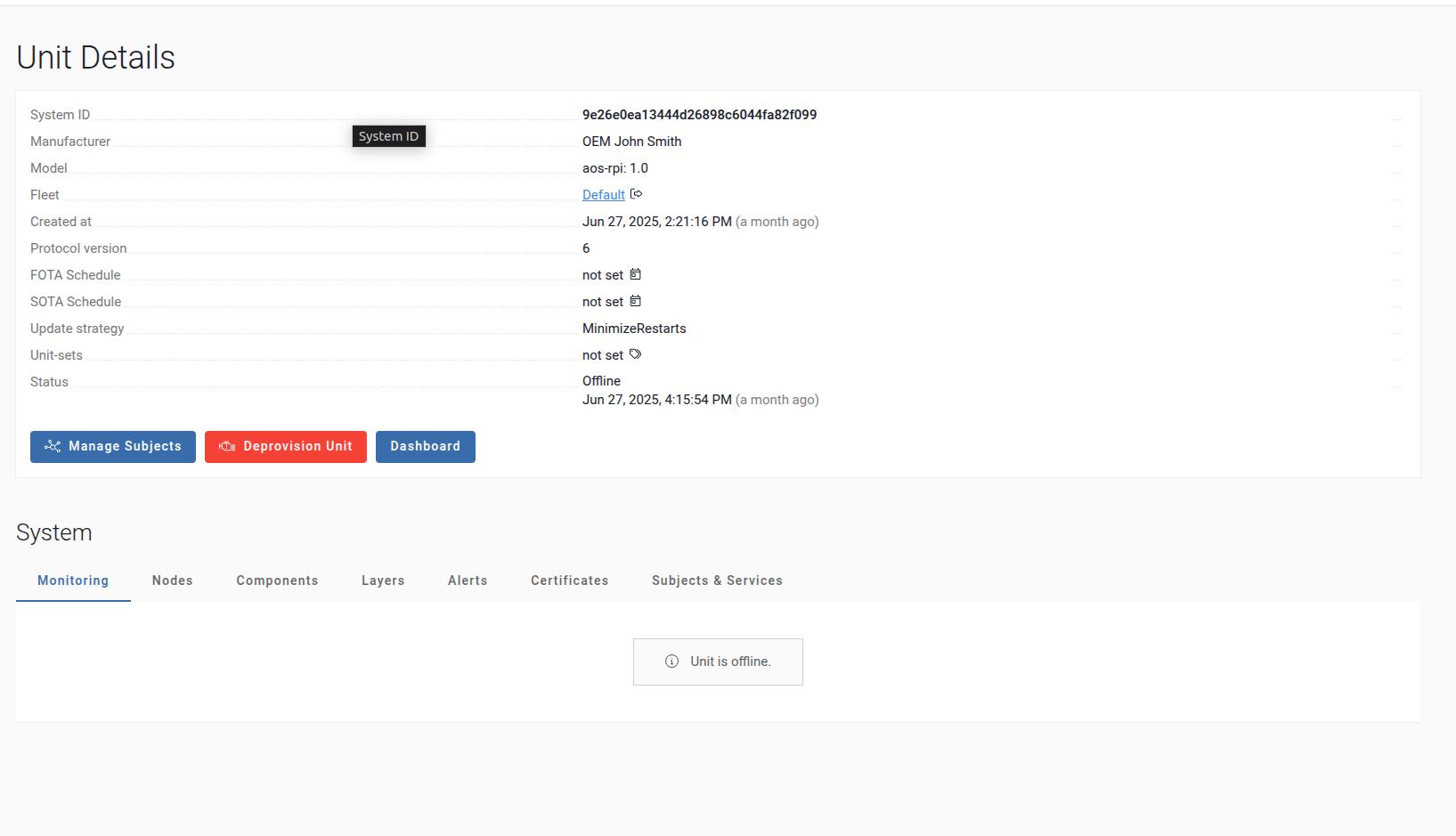
- Go to the Units section.
- Select the unit you want to assign the schedule to.
- Choose either the FOTA or SOTA schedule type.
- Click the schedule icon to link it.
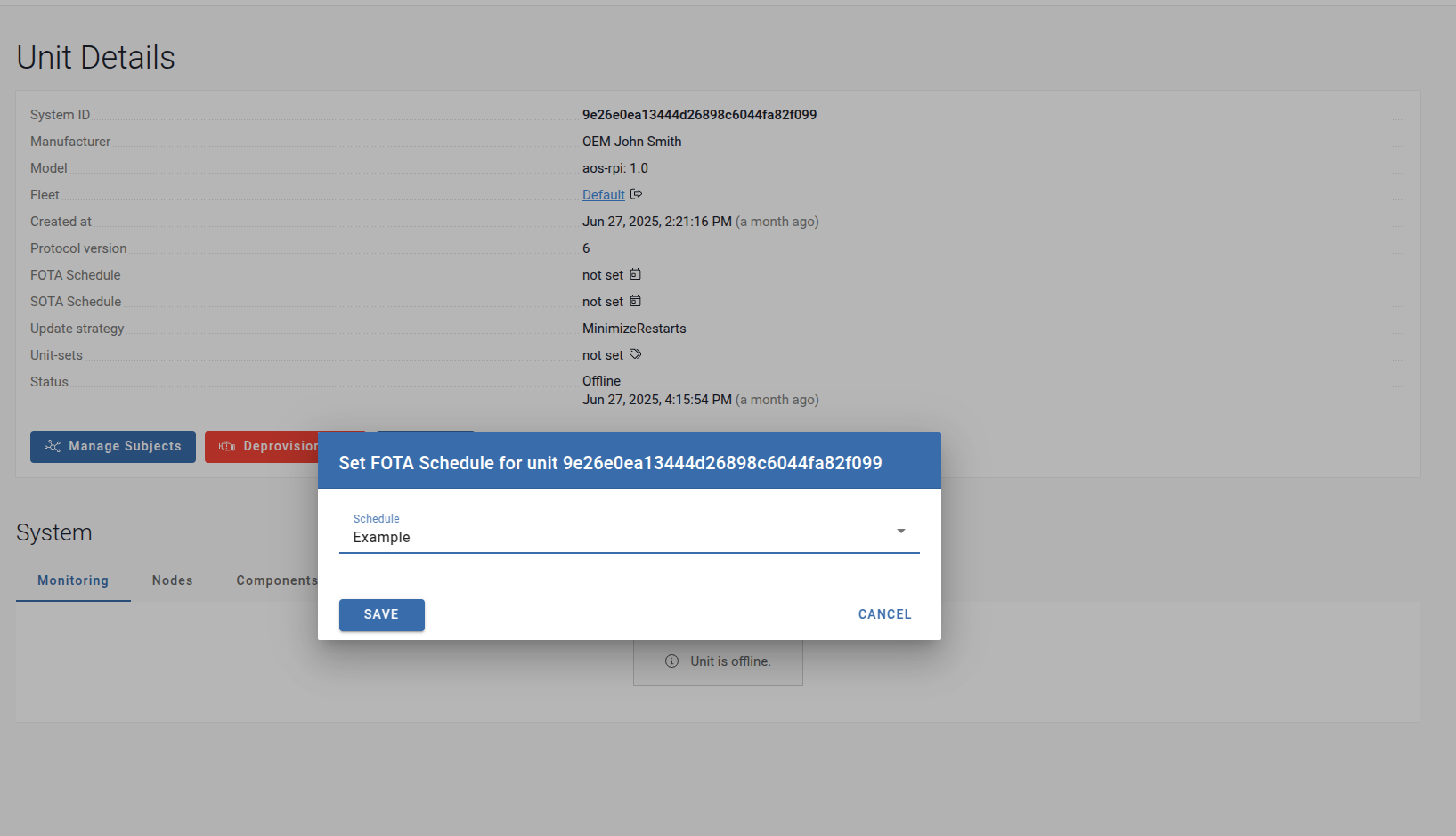
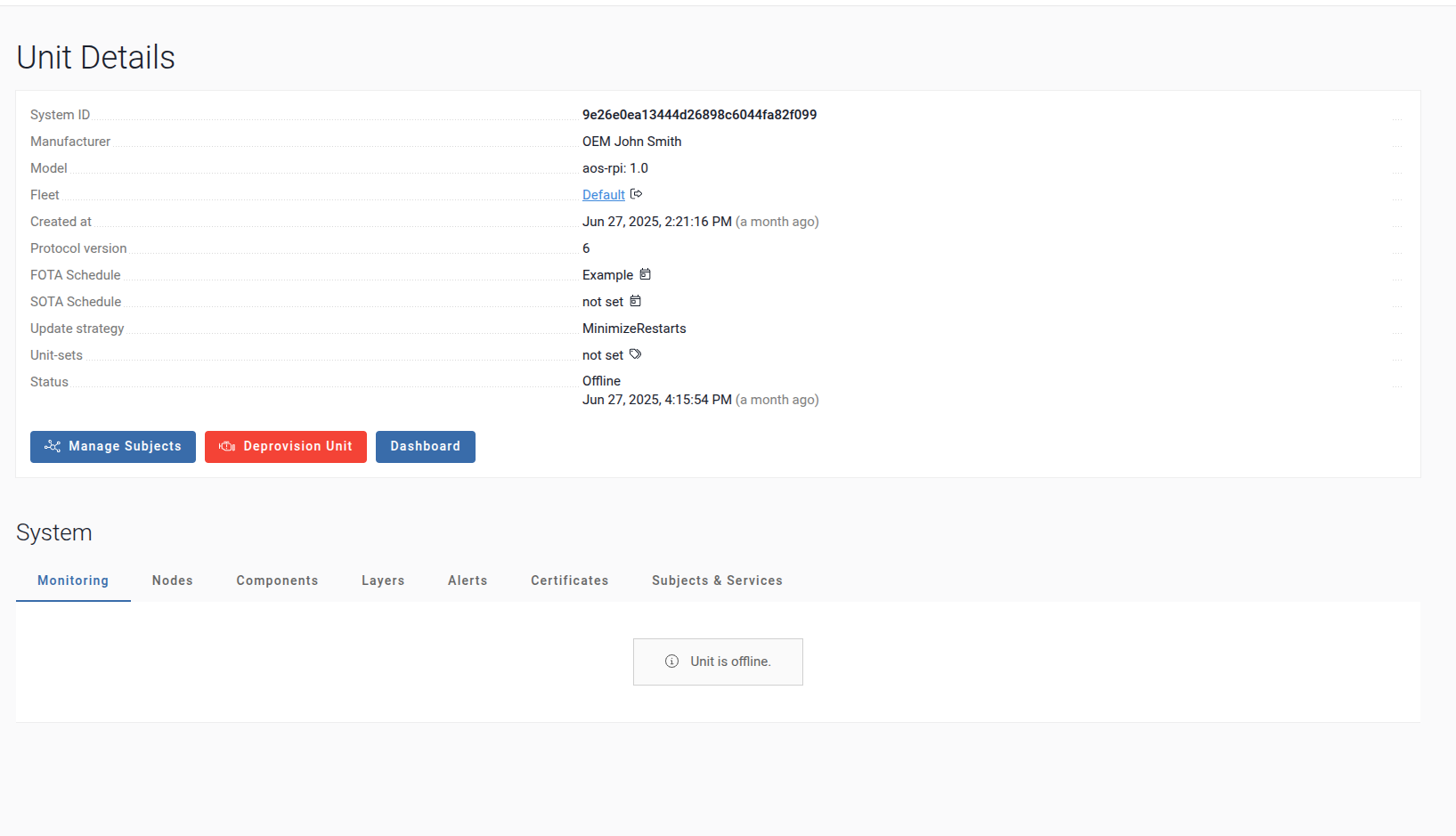
Once assigned, the schedule is linked to the unit and will automatically apply the FOTA update as soon as the unit becomes available online.