Subject
This chapter explains how to use the subject field correctly and outlines its primary purpose.
The subject is an identifier that allows you to group a service or multiple services that can be installed on a single unit or a group of units.
It helps manage deployment by logically linking related components under a common identifier.
Subject parameters
-
ID — A unique identifier of the subject.
-
Priority — A value that determines the order in which services are allocated and deployed. Subjects with higher priority take precedence during resource distribution and node assignment. Value starting from 0.
-
Is Group — Defines how the subject can be used:
-
If set to Yes, the subject can be installed on multiple units.
This is useful for grouping services that should run on a cluster of devices. -
If set to No, the subject can only be assigned to a single unit at a time.
To move it to another unit, you must detach it from the current unit before assigning it to the new one.
-
How to create subject
- Go to Subjects
- Click + and fill in the subject properties.

Assign unit to subject
- Select your subject and go to the Assigned units tab
- Click Add unit
- Enter the System Unit ID and click Add

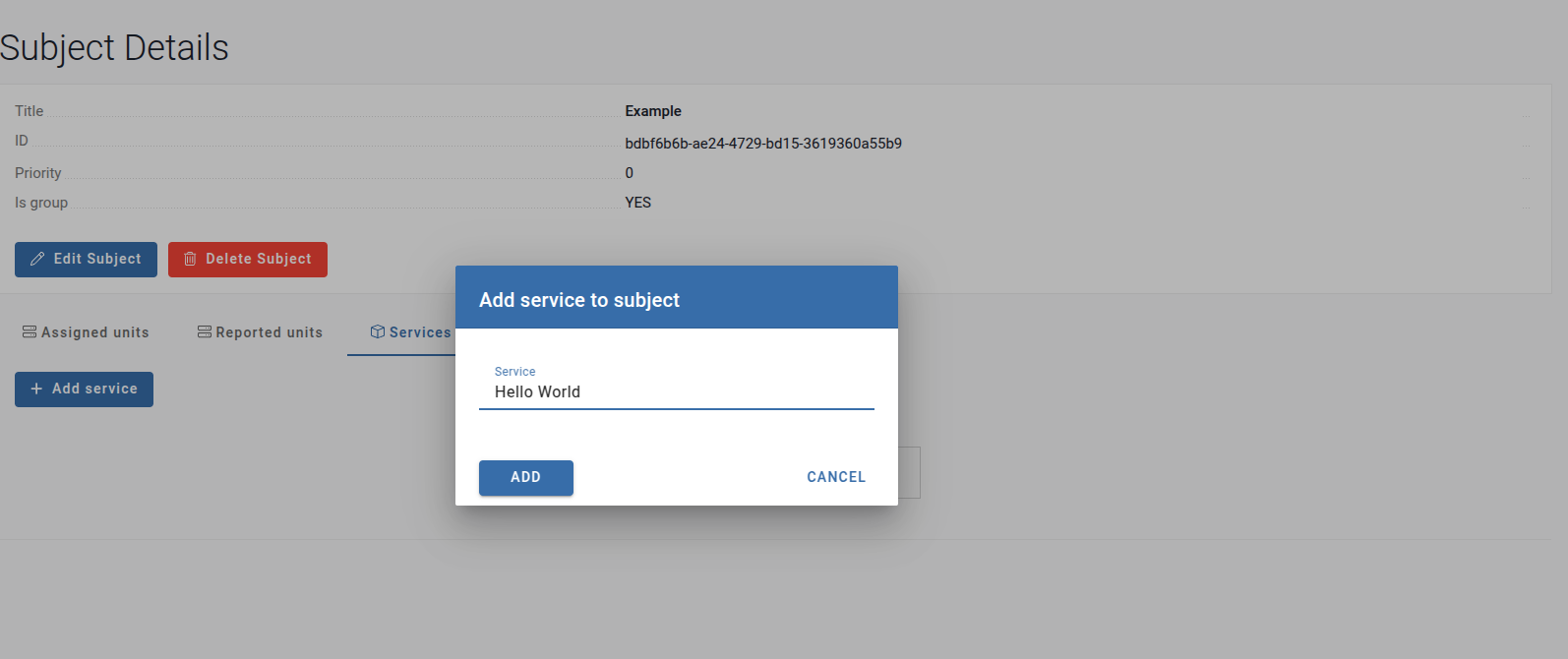
Add service to subject
- Select your subject and go to the Services tab
- Click Add service
- Choose one of the available services
Install subject to unit
- Go to Units
- Select the unit you want to install the subject on from the list
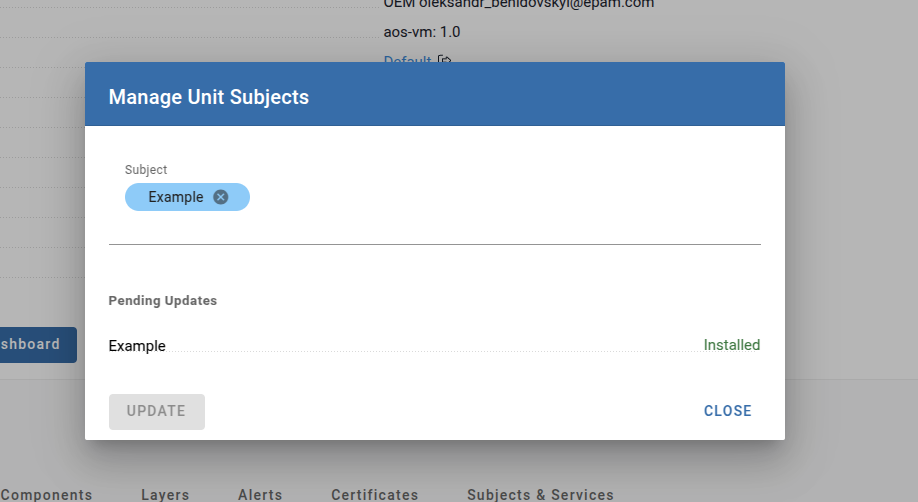
- Click Manage Subjects and add your subject to the unit
- Press Update. The status should change to installed
Remove subject from unit
- Go to Units
- Select the unit from which you want to remove the subject
- Click Manage Subjects and click the cross icon next to the subject you want to remove from the list